
Unlock missing top-end clarity with Overstratum Vintage Air v1, a audio plugin designed to recreate the dynamic encoding behavior of legendary vintage tape noise reduction units.
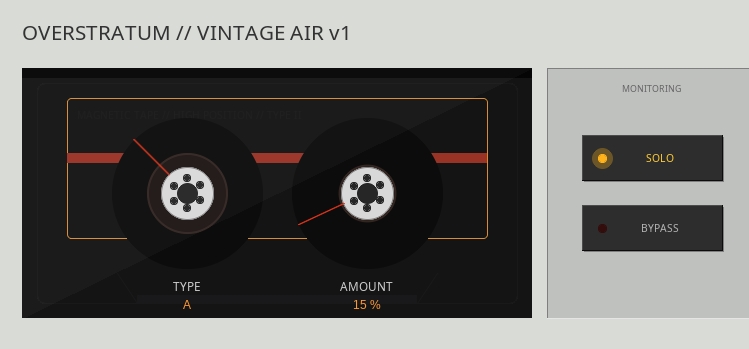
Decades ago, hi-fi analog systems relied on level-dependent treble boosts prior to recording to effectively drown out tape hiss during playback. By isolating and refining this exact dynamic boost process, this tool operates as an intelligent high-frequency enhancer that injects polish, space, and silky high-end presence into digital audio without the harshness associated with static equalizers.
Engineered with a responsive envelope follower and precision biquad filter architecture, the algorithm dynamically tracks incoming transients and signal levels. Low-level high-frequency details receive a smooth boost while louder transients pass through naturally, preserving transient punch and avoiding harsh resonances.
Type A, B & C
Three distinct operational profiles adapt the circuit response for various mix elements. Type A targets the highest air frequencies, imparting a delicate, silky shimmer that opens up lead vocals and subtle room ambience. Type B focuses on the upper-midrange frequencies, delivering an aggressive presence push that brings snare drums, electric guitars, and aggressive vocal tracks directly to the front of the stage. Type C offers a broad, expansive top-end curve designed to gently lift dull full buses, acoustic guitars, and dark synth layers.
In the mixing stage, the plugin excels at pushing dull cymbals and drum overheads forward in a dense arrangement without accentuating nasty metal resonances or spill. It restores lost life to dark acoustic instrument recordings and enhances the micro-dynamics of vocal performances. During mastering, placing it on the stereo bus gently lifts the top octave to add depth, dimension, and commercial sheen to final mixes without requiring complex multi-band setups.
How to get started
To get started with Overstratum Vintage Air v1, simply copy the JSFX file into your REAPER Effects directory. In REAPER, navigate to Options, select Show REAPER resource path in explorer/finder, and place the file inside the Effects folder. Open REAPER, go to the FX Browser, and run a Quick Scan or Press F5 to make the plugin appear in your list.
If you are using a different DAW such as Ableton Live, Logic Pro, Cubase, or Studio One, you can easily load and run this plugin using YSFX, a free open-source VST3 and AU hosting plugin that brings REAPER JSFX support to any digital audio workstation.
Download Vintage Air JSFX here