
Here you can find mixing, mastering and production tools created by me in JSFX format for Cockos REAPER.
To give a little background, I write these plugins primarily for three reasons: to constantly learn and improve my skills, to speed up my own daily workflow, and to build a self-sufficient, Reaper-native plugin arsenal that works seamlessly across Windows, Mac, and Linux.
I created some of these JSFX tools to replace VST3 plugins that unfortunately aren’t available cross-platform, while others are completely original ideas that I need for my own workflow.
They can be loaded natively directly in Reaper. Just copy them into Reaper’s effects folder, re-scan, and you’re done. I update the plugins from time to time, so descriptions and screenshots might occasionally differ a bit. You can always check the blog for more info.
Please note that all my plugins are exclusively available right here on this website, as I don’t maintain any external networks or social media. I don’t advertise them and I have no commercial interest. I made the plugins for myself, and anyone who wants to use them is free to do so.
There are no subscriptions, no authorizations, and no registrations required. They are written and tested in Reaper 7. Using them in other DAWs requires the ysfx plugin. All plugins are provided ‘as is’.
The Plugins:
12-Band Dynamic EQ
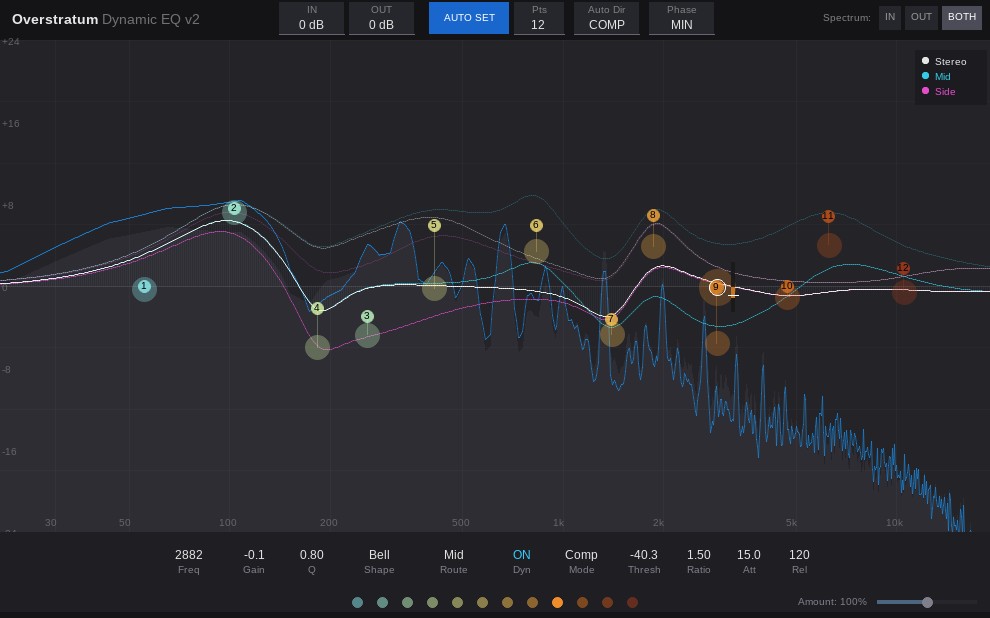
With a single click, the intelligent Auto Set engine scans your audio and drops the perfect dynamic bands exactly where your track needs them. It automatically tames harsh resonances and boosts punch while keeping everything sounding incredibly musical.
Want that expensive, analog top-end? Just flip on the Natural Phase mode and listen to your highs open up beautifully, completely free of digital cramping.
Whether you are surgically fixing a snare drum, expanding a lead vocal, or doing complex Mid/Side mastering tweaks, this plugin handles it all with a gorgeous, flicker-free interface and butter-smooth controls.
Dynamic EQ (jsfx file)Balance Analyzer
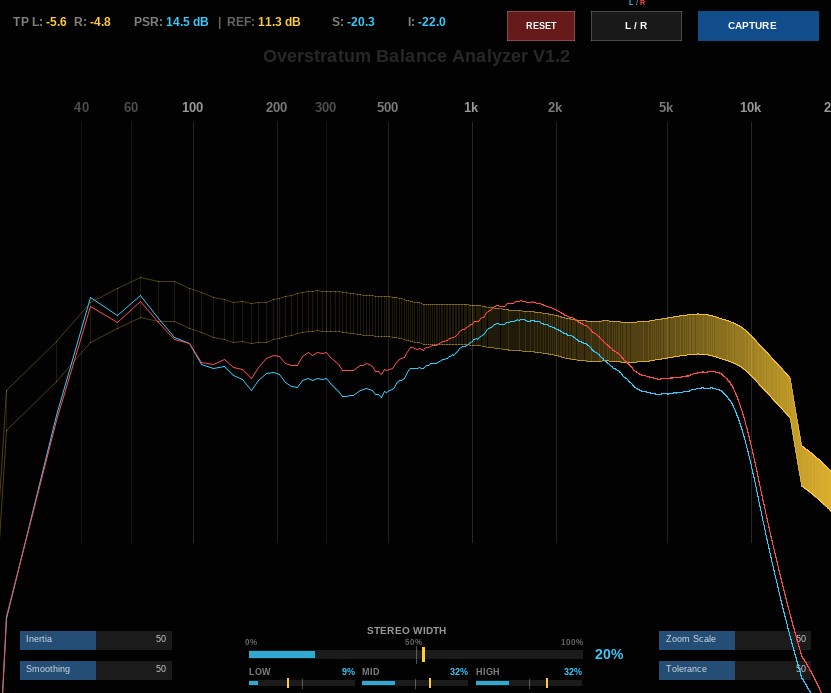
The Balance Analyzer shows you the dynamics, loudness, stereo width, and EQ curve of any reference track at a glance.
How it works:
1. Take a snapshot of your reference.
2. Play your own song.
3. Instantly see exactly what needs to be fixed. Done.
Click here for a short demonstration on Youtube.
Balance Analyzer (jsfx file)OST Multiband Compressor
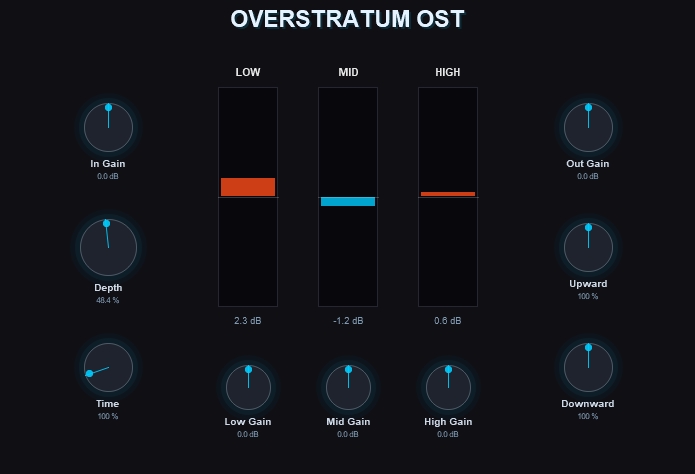 Overstratum OST – inspired by a world-famous, highly aggressive multiband compressor from another great DAW. This plugin is perfect for all kinds of electronic beats, but also works wonders on vocals, metal, or cinematic music.
But watch out: It’s very easy to overdo it!
Click here for a short demonstration on Youtube.
O.S.T. (jsfx file)One Knob
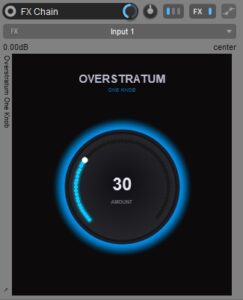
This is a simple Macro Controller I built for REAPER 7. It doesn’t actually touch your audio signal; it’s designed to be the “brain” for other plugins. You can link this single knob to dozens of other parameters at once, creating a master control for complex FX chains.
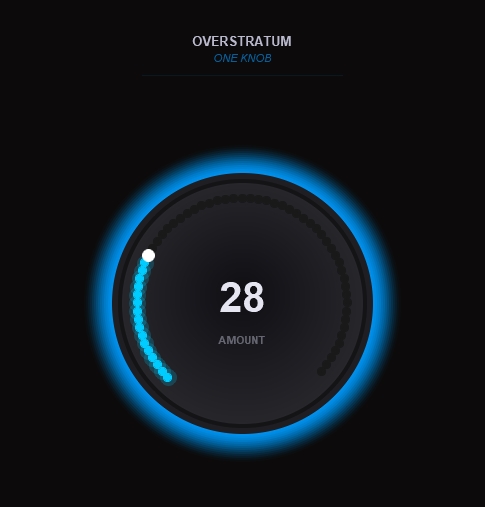 Instead of menu-diving through five different plugins to change your sound, you just map everything to this one knob. It’s perfect for those “make it better” moments where you want to increase distortion, open a filter, and adjust a reverb mix all with one twist.
How to set it up:
Drop it in: Put the plugin anywhere in your track’s FX chain.
 Link it: Open any other plugin you want to control. Click Param > Parameter modulation/link.
Connect: Check the “Link from MIDI or FX parameter” box and pick Overstratum One Knob -> Amount.
Tune it: Use the modulation window to decide how much (and in which direction) each parameter should move when you turn the big knob.
Cool feature: Since this plugin has a nice UI, you can right-click it in your FX list and select “Show embedded UI in TCP/MCP”. That way, you have the big knob sitting directly on your track panel without even opening the FX window.
One Knob (jsfx file)Sidechain Ducker
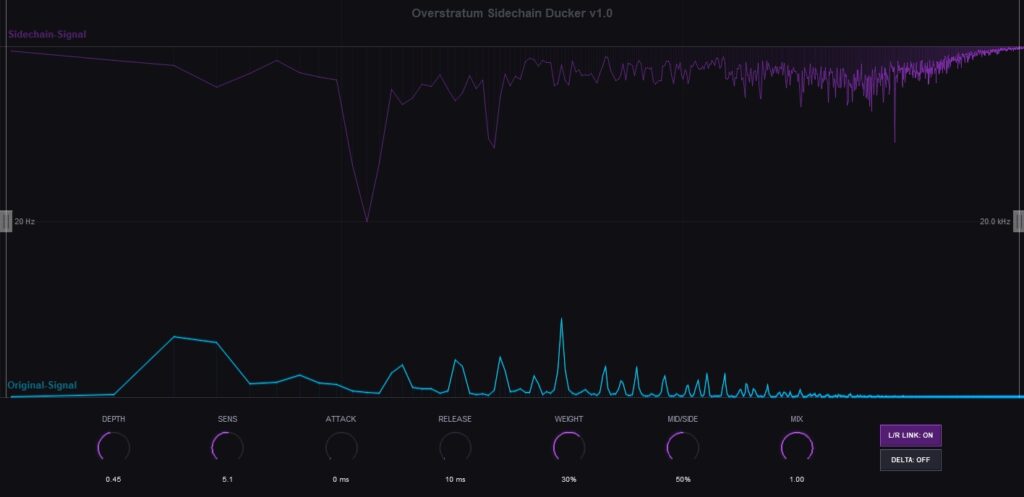 A transparent, surgical, and creative spectral ducking JSFX plugin for intelligent sidechain processing.
Unlike standard broadband compressors that duck the entire signal, Overstratum analyzes the incoming sidechain spectrum (e.g., a kick drum) and attenuates only those specific frequencies on your main track (e.g., a bass or synth) in real-time. This creates maximum clarity, space, and impact in your mix without audible artifacts or “pumping” on unaffected frequencies.
It is designed for both mixing and mastering applications where invisible and highly precise separation of two competing sounds is required.
Key Features:
- Spectral Ducking: Intelligent frequency-dependent attenuation triggered by an external sidechain signal for seamless carving.
- Low Cut & High Cut: Define the exact frequency range to be processed, allowing for targeted ducking in specific bands (e.g., low-end only).
- Mid/Side Processing: Duck only the center (Mid) of the stereo signal or only the edges (Side). This is a game-changer for mastering, for instance, by creating center space for a kick while maintaining stereo width on synths or basses.
- Attack & Release: Precise control over the timing of the dynamic attenuation to ensure natural-sounding transitions.
- Mix Control: Parallel processing within the plugin for a perfect dry/wet balance.
- Real-time Spectral Display: A gorgeous visualizer with a logarithmic frequency axis from 20 Hz to 20 kHz, showing the spectra of both the sidechain and the original signal.
- Delta Control: Listen exclusively to the part of the signal that is being removed, making fine-tuning exceptionally accurate.
- L/R Link: Option to process the left and right channels either independently or linked.
- Delta Controls: A specific feature to analyze and fine-tune your processing.
This version is optimized for stability and audio quality, including an innovative “Anti-Ripple Envelope” for stable and powerful low-end performance.
Sidechain Ducker (jsfx file)Simple Stereo Balance
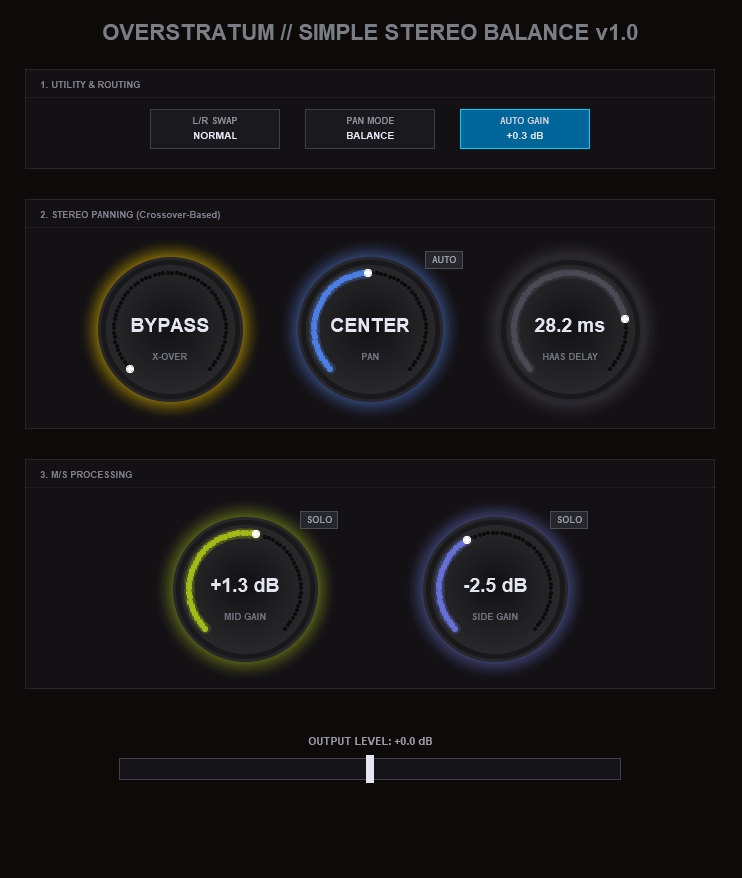 Overstratum Simple Stereo Balance v1.0 is an intelligent utility that centers your low-end while panning high frequencies, offering both standard and Haas-style widening. Its standout features are a 5-second “AUTO” button that perfectly balances L/R energy and an LUFS-weighted Auto Gain that keeps your perceived volume consistent, no matter how much you tweak the stereo image.
Utility and Routing (Top Section)
L/R Swap: Flips the left and right channels. Use this if your stereo recording feels backwards.
Pan Mode: Choose between Balance (standard panning that lowers the volume of one side) or Haas (a trick that makes the sound feel wide and positioned without changing its volume).
Pan Law / Auto Gain: This button controls how the volume behaves. If you select Auto Gain, the plugin listens to the track and automatically adjusts the volume so it stays perfectly consistent, no matter how much you change the settings.
Stereo Panning (Middle Section)
X-Over: This is a bass protector. Everything below this frequency stays in the center. This keeps your low-end solid while you move the higher sounds to the sides. Set to Bypass if you want to move everything.
Pan: Moves your sound left or right. In Haas mode, it controls the direction of the widening effect.
AUTO Button: This is your smart assistant. Click it and wait for the 5-second countdown. The plugin will analyze the audio and automatically set the Pan knob so that the left and right sides are perfectly balanced.
Haas Delay: Only works in Haas mode. It controls how wide the effect feels. Turn the Pan knob to the left or right to hear it in action.
M/S Processing (Bottom Section)
Mid Gain: Controls the volume of everything in the dead center of the mix, like lead vocals or the kick drum.
Side Gain: Controls the volume of the stereo information. Turn this up to make the track feel wider and more spacious.
Solo (Mid/Side): These small buttons let you listen to only the center or only the stereo sides. This is great for checking if your stereo image has any issues.
Output (Bottom Slider)
Output Level: This is your final volume control. It is completely independent of the automatic functions, so you can make fine adjustments to how loud the track sits in your overall mix.
Simple Stereo Balance (jsfx file)Lautmacher
 Overstratum Lautmacher V1.0, a hybrid limiter script for Reaper. It combines a high-density multiband lookahead engine with a classic oversampled singleband mode for different needs.
You can use the multiband mode for maximum loudness in genres like electronic music or the singleband mode for a more natural response on acoustic tracks. It features an optional ISP catcher (“True Peak” button) to prevent digital clipping and an auto limit function that adjusts the gain to reach your specified LUFS target. No hype, just a solid tool for the master bus.
Lautmacher (jsfx file)Matching EQ
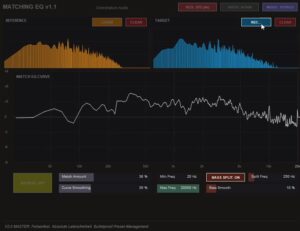 The Overstratum Matching EQ makes it easy to grab the tonal character of your favorite tracks and apply it to your own audio. Just capture your reference and target sounds, then dial in the intensity with the match amount sliders to find your perfect balance.
You can choose between Stereo, Mid/Side, or Dual processing modes, and keep things sounding natural by adjusting the frequency range and curve smoothing to fit your needs.
Need to focus on the low end? Just flip on the Bass Split feature to process your sub and bass frequencies separately from the rest of your signal. It gives you dedicated control over your crossover point and bass smoothing, making it simple to keep your mix tight, clean, and punchy without any extra hassle.
Use the clear buttons to reset your analysis at any time and toggle the bypass switch to hear exactly how your sound is shaping up against the original. It is a straightforward, no-nonsense tool that helps you get professional results quickly and efficiently.
Matching EQ (jsfx file)Watch demo on Youtube
Simple Upward Compressor
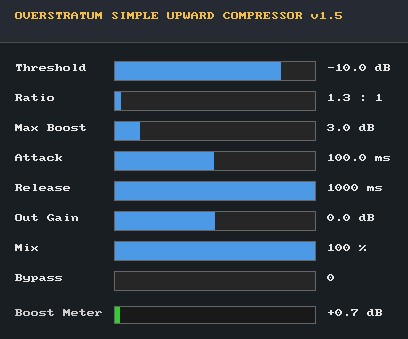
Most Upward Compressors are weird to use or suck, so I made my own. A native REAPER JSFX plugin that delivers transparent, mastering-grade single-band upward compression.
It lifts low-level details below the threshold while keeping transients completely untouched, backed by built-in peak protection, an adjustable max boost limit, and a simple custom interactive graphical interface.
It’s super easy to use and contains the core functions. I tweaked the default settings for pushing the Master Bus a little bit. If you want to use it on vocals or drums, you can set it up as you like. Just check it out!
Simple Upward Compressor (jsfx file)Vintage Air
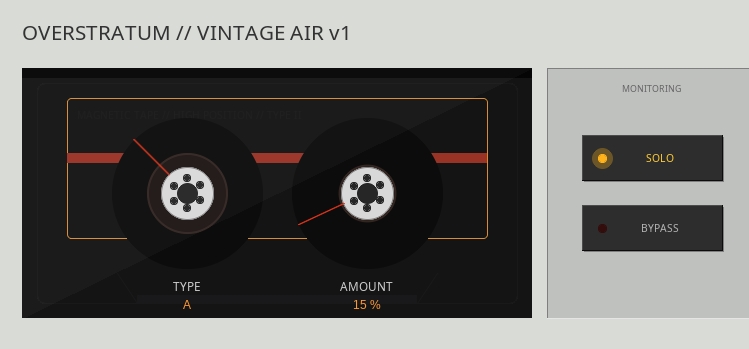
Vintage Air brings the magic of classic analog noise reduction units back into your modern mix. Back in the HiFi tape era, these dynamic encoding systems boosted high frequencies before hitting tape to mask hiss on playback.
I took that exact dynamic treble-boosting circuit and turned it into an instant air and sheen generator for your tracks.
Type A adds a high-end sparkle that opens up vocals and cymbals. Type B delivers an aggressive upper-mid push perfect for bringing snare drums and guitars forward. Type C provides a broad top-end expansion that gently lifts dull mixes and full buses. Throw it on anything that needs extra polish without dialing in harsh traditional EQ.
Vintage Air (jsfx file)Auto M/S Gain Rider
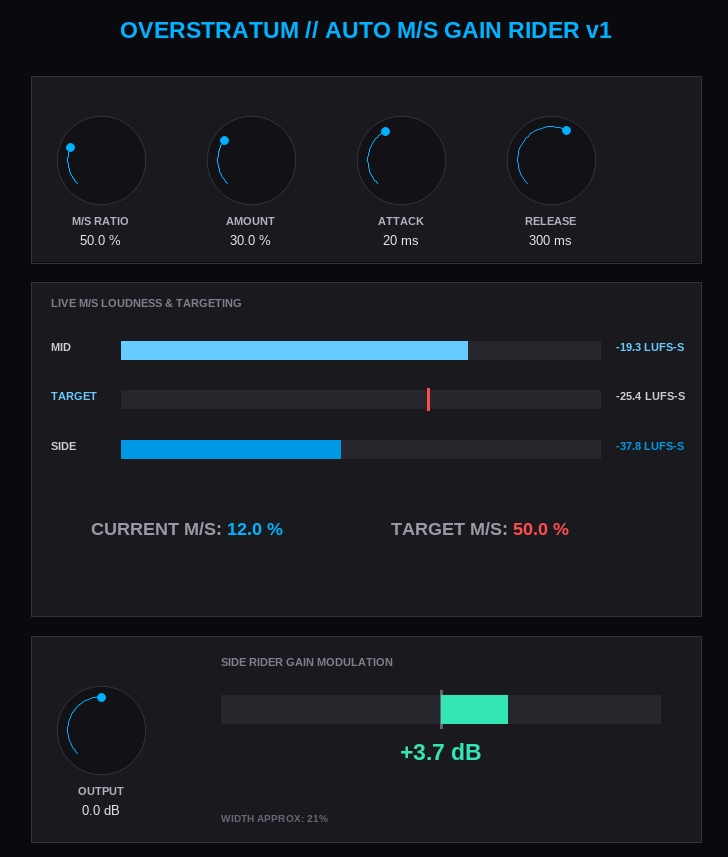
Mixing dynamic music with standard stereo wideners often leads to frustrating results. A setting that makes your massive chorus sound incredible might completely ruin a delicate verse by pushing it too far to the edges.
The Overstratum Auto M/S Gain Rider offers a smarter approach for REAPER users by continuously monitoring the relationship between the middle of your mix and the sides.
Intelligent balance
Think of it as an automatic volume rider exclusively for your side channel. You define the ideal balance, and the plugin smoothly adjusts the side levels in real time based on the center volume.
If a section gets too narrow, it widens it. If things get too chaotic, it tucks the sides back in. You get a perfectly consistent, breathing stereo field without ever having to draw a single automation curve.
Auto M/S Gain Rider (jsfx file)Vocal Rider
Achieve perfectly balanced vocals in seconds without drawing a single automation curve. The Overstratum Vocal Rider is an intelligent automatic volume controller that writes your fader movements for you, saving you hours of tedious editing work.
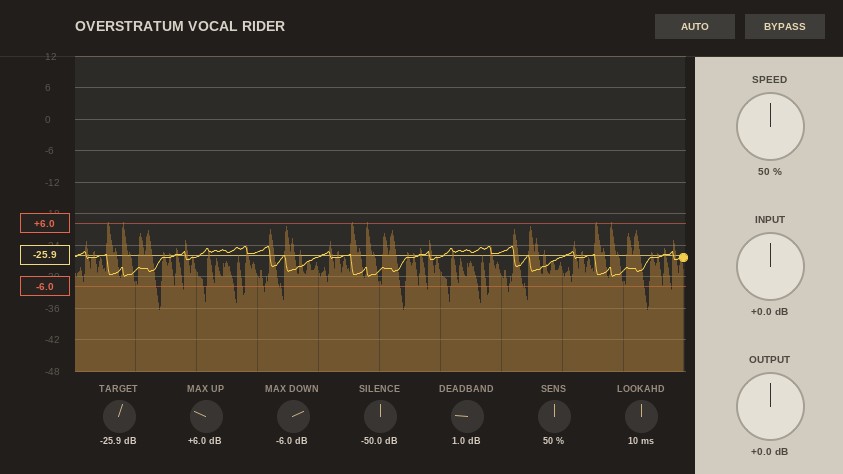
Unlike standard compression that squashes your transients, this plugin preserves the natural dynamics of your performance while smoothly leveling out the overall phrases. Simply dial in your target level or use the intelligent seven second Auto Learn feature to find the perfect sweet spot instantly. With built in lookahead for catching sudden peaks, independent limits for upward and downward gain, and a deadband control to prevent unnecessary fluttering, you get total dynamic control without any unnatural pumping artifacts.
Housed in a sleek, vintage inspired interface with click free bypass and real time visual feedback, the Overstratum Vocal Rider is the ultimate time saver for mixing vocals, dialogue, bass, and acoustic instruments. Take the busywork out of your mixing process and let the plugin do the heavy lifting.
Vocal Rider (jsfx file)EARTH
Overstratum Earth is a custom JSFX plugin built exclusively for Reaper that redefines how you handle sub-bass.

Standard EQs and processors introduce phase shift, which destroys the punchy alignment between your kick drum and bass. Earth utilizes a massive linear phase filter to isolate your low frequencies cleanly. Your sub stays crystal clear and completely locked in phase with the original track.
Beyond pure isolation, the plugin injects life into your low end using custom harmonic saturation and smart dynamic control. It creates rich overtones so your 808s and synth basses translate effortlessly onto small laptop speakers, while the built-in thump compressor tames heavy rumbles before they can choke your master bus.
With a sleek magma-inspired interface and just two main controls—Earth Gravity and Focus Freq—dialing in massive, radio-ready low end takes seconds. Drop it into your Reaper project and give your tracks the solid foundation they deserve.
There is much going on under the hood, so the processing is a bit heavy on CPU (1.7% on my Ryzen 7).
EARTH (jsfx file)Tape Machine
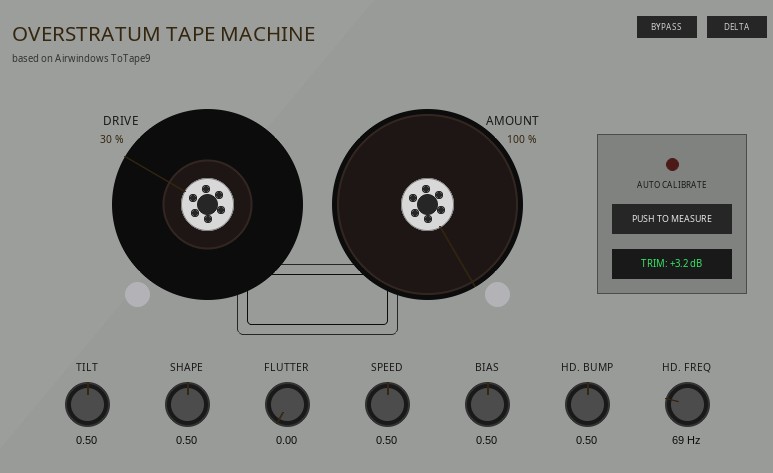
If you are looking to bring some authentic analog warmth into your REAPER sessions, the Overstratum Tape Machine is a pretty cool JSFX plugin to check out. It takes legendary audio processing and wraps it in a slick vintage interface.
At its core, it runs on the source code of Airwindows ToTape9 by Chris Johnson. A lot of producers consider ToTape9 to be one of the best tape saturation plugins out there, and this version builds directly upon the original JSFX port adapted by chmaha.
Instead of forcing you to tweak boring default sliders, Overstratum Audio put all that pure DSP into a gorgeous reel-to-reel visual layout.
You get interactive spools, a handy auto-calibration tool to sort out your levels, smooth drive and amount controls, subtle tape flutter, a low-end head bump with adjustable frequencies, plus simple bypass and delta monitoring buttons.
It is a lightweight and inspiring way to get that classic tape sound right inside REAPER.
Tape Machine (jsfx file)Dystamic
Take control of your frequency spectrum with Overstratum Dystamic, an advanced dynamic equalizer and target-matching plugin. Designed for producers, mixing engineers, and mastering professionals, Dystamic automatically resolves frequency masking, tames harsh resonances, and balances your audio to professional reference standards.
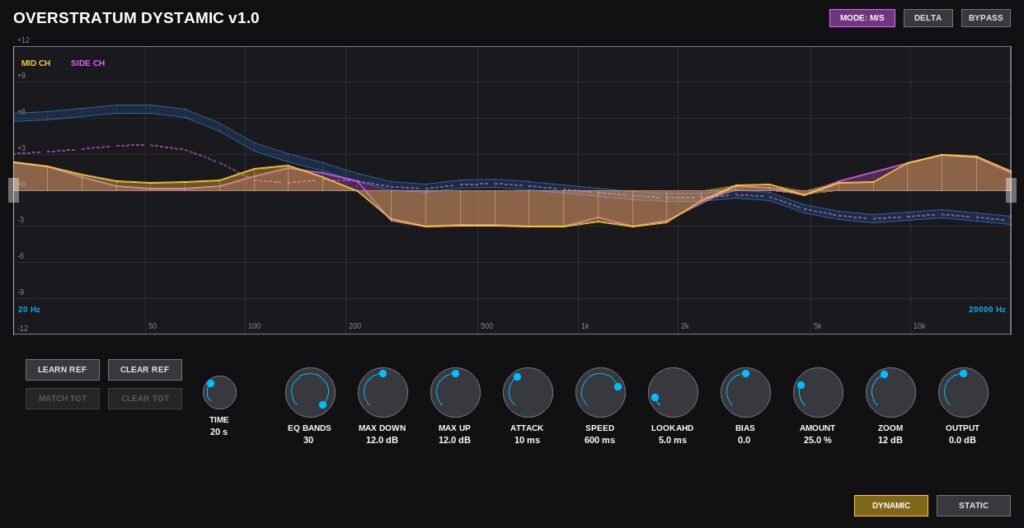
Dystamic features up to 30 intelligent EQ bands that react continuously to your audio. Whether you need gentle tonal shaping or surgical frequency correction, this plugin delivers pristine results with minimal CPU footprint.
Dual Processing Modes: Switch seamlessly between Active Dynamic Balancing (real-time spectral smoothing) and Static Match EQ (capture and apply the EQ curve of any reference track).
Smart Capture System: Utilize the custom Time knob for traditional continuous capture, a “Hold” mode for sustained signals, or the precise “Sync” mode to tie the spectral learning process directly to your DAW’s transport controls.
Mid/Side Processing: Process the center and wide stereo information independently to clean up mud in the mid-channel while adding air and clarity to the sides.
In-Depth Control: Fine-tune the algorithm with custom Max Up/Down limits, dynamic Attack & Speed parameters, and adjustable Lookahead (up to 50ms) to catch sudden transients before they happen.
Target Bias (Tilt): Gently slant the target EQ profile to favor warmer low-end or brighter high frequencies with a single slider.
Delta Audition: Instantly monitor only the audio that is being processed and removed by the EQ, taking the guesswork out of your mixing decisions.
Dystamic (jsfx file)Stutter
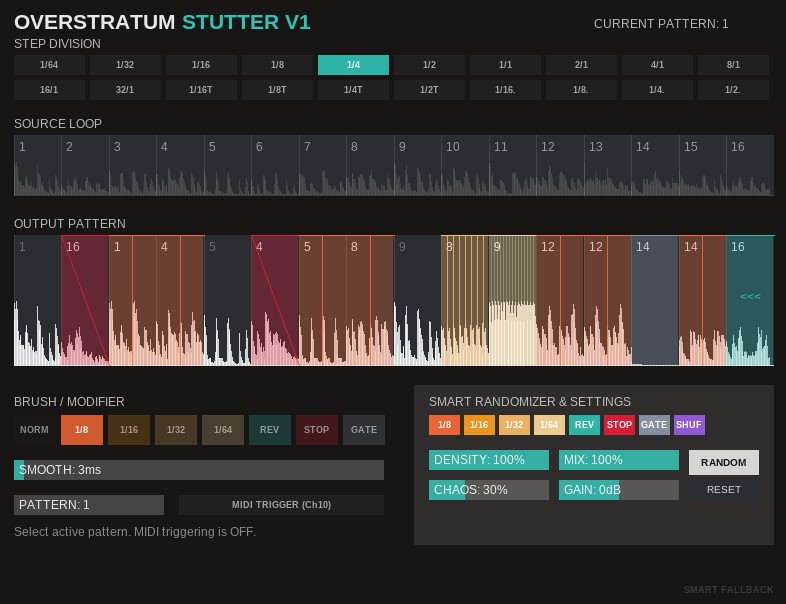 Stutter is a deterministic buffer-chopping and rhythmic manipulation JSFX plugin for REAPER. It continuously captures incoming audio and allows you to sequence it across a 16-step grid.
Each step can trigger different slices of the audio buffer and apply modifiers such as absolute note repeats (1/8 to 1/64), reverse, tape stop, or gating. The engine utilizes an asymmetrical punch-and-tail crossfade system to ensure click-free transitions while preserving hard transients.
It features a motif-based smart randomizer and 12 internal pattern slots that can be switched live via MIDI.
Stutter (jsfx file)FilmVerb
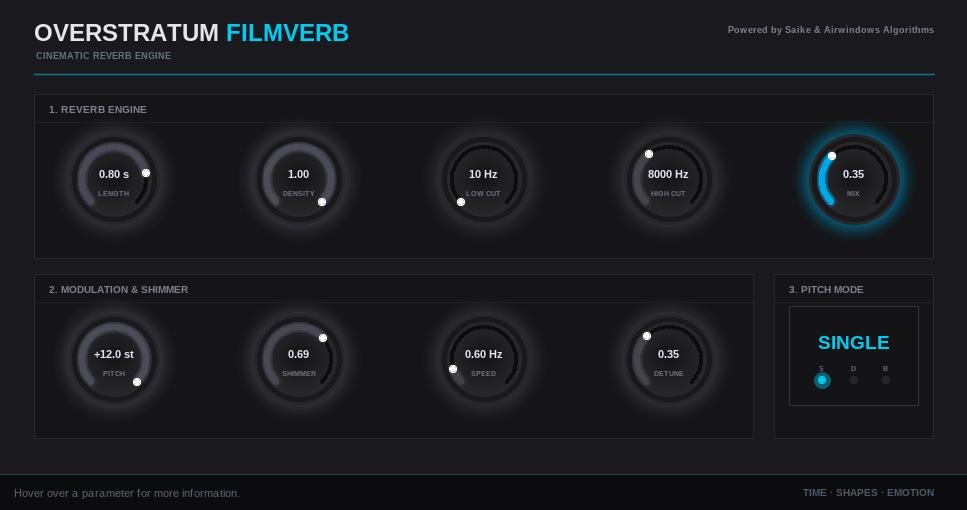 Need a reliable shimmer reverb for your REAPER templates? Overstratum Filmverb is a standalone JSFX plugin designed specifically for cinematic audio, scoring, and ambient sound design.
Instead of overwhelming you with sub-menus, the interface gives you direct access to the parameters that matter most. You can shape the room with the density and EQ controls, add movement via the modulation section, and dial in the pitch-shifted shimmer. It includes a single and dual pitch mode depending on how complex you want the reflections to be.
Installation is as simple as it gets. Because the code is completely self-contained with no external library dependencies, there are no installers. Just download the file, drop it into your REAPER Effects folder, and refresh your plugin list. It uses minimal CPU and is ready to go on any operating system.
Filmverb (jsfx file)Epic Halls
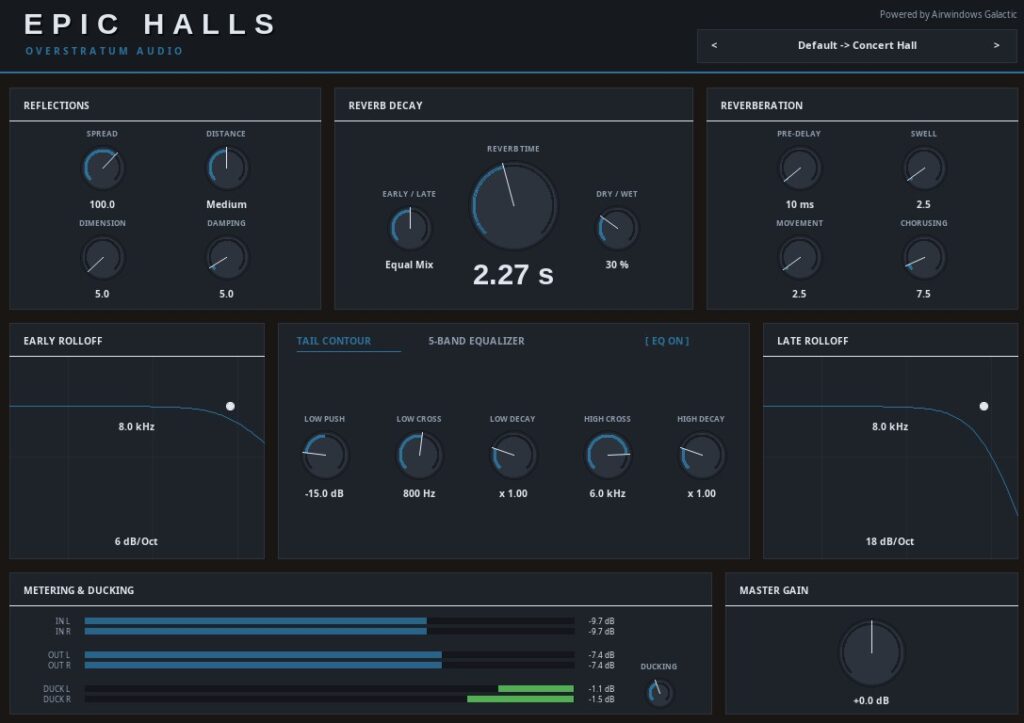
Getting a virtual room to sound truly convincing is tough, but Overstratum Epic Halls makes it effortless. Built specifically for producers looking for uncompromising organic acoustic realism, this JSFX reverb plugin is great for classical music, film scoring, and pure acoustic genres.
I have to give massive credit to Airwindows for the magic under the hood. The plugin is built upon their genius “Galactic” algorithm, which provides an exceptionally high-quality, dense DSP core. I took that brilliant engine and wrapped it in a highly intuitive, modern interface.
Instead of washing out your mix with artificial noise, Epic Halls places your instruments into breathing, physical environments. From tight wood-paneled vocal booths to massive symphony stages.
And there is a ducking function! So if you need transparent depth that glues a string section together or grounds a solo piano naturally without muddying the frequency spectrum, this could become your new go-to reverb.
Epic Halls (jsfx file)Phantom LUFS (experimental)
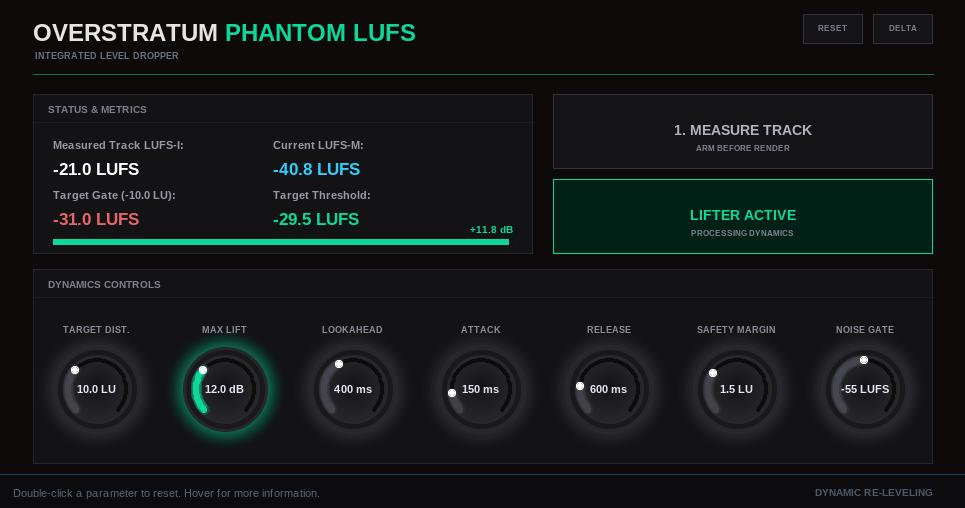
It sounds like a complete paradox: you increase the volume to ultimately get less overall loudness. But it is exactly this physical principle that makes the Phantom LUFS an extremely effective secret weapon for your mastering chain.
If you master for streaming services, you know the problem of “loudness normalization,” which punishes your loud mixes. This plugin utilizes a targeted exploit in the ITU-R BS.1770-4 measurement algorithm: as a highly specialized upward compressor, it raises extremely quiet, ignored passages just enough so they cross the so-called “-10 LU Relative Gate.”
The result? These quiet “phantom” signals suddenly flow into the measurement and drag the LUFS-I average downwards. Your track measures quieter and is limited less by the platforms. Thanks to lookahead, precise envelopes, and an integrated noise gate (“Fade Out Threshold”), your noise floor remains protected and the intervention is completely transparent. Use the Delta Listen function for exact control and save the dynamics of your choruses.
Phantom LUFS (jsfx file)Dynamics & Expression
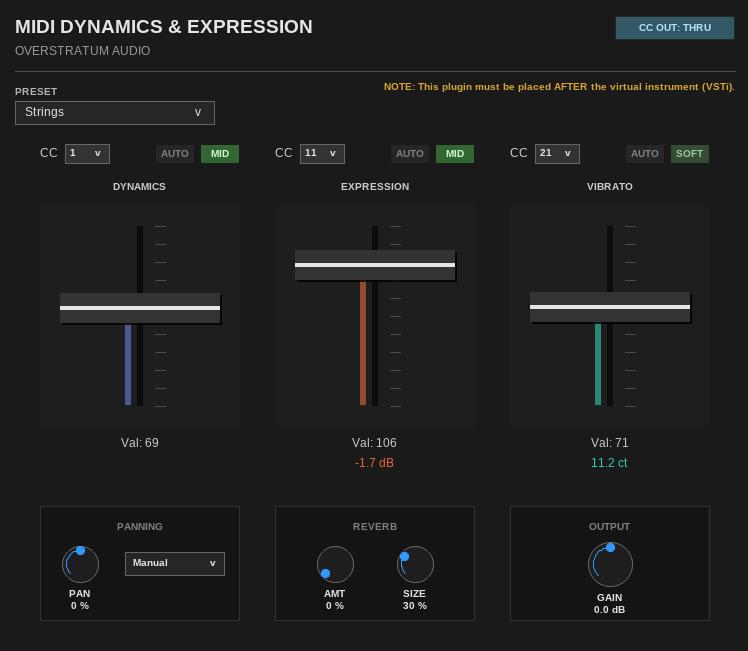
Have you ever loaded up a basic, lightweight virtual instrument and felt it sounded completely static? Premium orchestral libraries use complex scripting and phase-aligned crossfades mapped to the modwheel (CC1) and expression (CC11) so you can actually perform the instrument. If your sample library lacks these features, the Overstratum MIDI Dynamics & Expression JSFX plugin fills the gap.
Instead of just acting as a dumb volume knob, this plugin reads your MIDI performance and translates it into dynamic multiband EQ shifts and custom volume curves. As you push the modwheel up, the instrument doesn’t just get louder. It gets brighter and more intense, mimicking the natural physical behavior of real acoustic instruments. It also features a sample-accurate vibrato module, authentic orchestral seating pan presets, and the lush Airwindows Galactic reverb algorithm. It’s a straightforward, DRM-free utility designed to make simple sample sets highly playable and expressive without eating up your CPU.
Dynamics & Expression (jsfx file)
Matching EQ Update to v3.1, check it out 🙂
Stutter Update v1.2.0 is now online: https://overstratum.com/stutter-v1-2-0-released-reaper-jsfx-update/
New plugin available: Epic Halls, a realistic room simulation JSFX for Reaper. 150 presets included!
Wow,
danke für die tolle Arbeit!!!
Ich habe zu danken!
Please check my first reverb effect: FILMVERB (a free JSFX cinematic shimmer reverb for Reaper)! With this plugin everything becomes cinematic 🙂
Massive update for the 12-Band Dynamic EQ JSFX, check it out!
Hey guys, I put together a new JSFX stutter plugin for Reaper. I honestly just wanted a faster way to get cool vocal chops and drum fills without having to slice everything by hand on the grid.
The main thing is the “Random” button – I tweaked it to actually respect your downbeats and generate usable, musical grooves rather than just chaotic noise. You can also trigger the patterns live via MIDI if you want to play it like an instrument.
Just drop it in your Effects folder and mess around with it. Let me know if you find it useful for your beats!
Holy shit! this DYSTAMIC is a free gulffoss JS on steroids for REAPER users?!
Hi Leo, yeah, it can probably do some similar things to the great plugin you mentioned, but it’s also a matching EQ. So you can use your preferred EQ curve (for example, from a song you want your mix to sound like) and choose whether you want to use it as a dynamic matching EQ or a static matching EQ.
It’s actually a pretty cool plugin, I have to admit. 😄
Dystamic, i’m trying to save a learned reference in Reaper, it’s not working, can you fix this, so we can save different references?
Done, please check the new version 1.1 of the Dystamic plugin.
Danke für Deine tolle Arbeit 👍
Dystamic , wenn ich eine Referenz angelernt habe und dann in Reaper als Preset speichere, erscheint die erlente Referenz nicht, sondern die Ausgangskurve.Wäre schön wenn man die Referenzen Speichen könnte.
Vielen Dank für die tollen Plugins.
Gruß
Bluesman
Danke für die Rückmeldung. Ich habe das korrigiert und außerdem noch eine Auto Gain-Funktion eingebaut. Einfach nochmal runterladen und die alte Version überschreiben und gerne Bescheid geben, ob es jetzt wie gewünscht klappt!
Liebe Grüße
Hi!
Your Vocal Rider is great! Would it be possible to add automation functions (OFF/READ/WRITE) of the gain riding in it?
Glad you like the Vocal Rider! I’ve noted the idea for the automation modes and will consider it for a future update.
Would yop please like to make these very nice plugins possible to install via Reapack?
I would like to avoid to manually fiddle with every update… thanks!
Thanks for the kind words! I completely get it, but maintaining a ReaPack repo would mean quite a bit of extra fiddling on my end. For now, I’m keeping all downloads and updates in one place on my website. Thanks for understanding and for using the plugins!
I like Air & new Tape plugin. But add please output gain so we can compansate level lost.
Plus Match EQ need to be tweaked. because it’s act very wierd in IIR mode
Thanks for the feedback! I’ve noted the suggestions and will look into them for the upcoming updates.
this multiband limiter sound great, thank you!!