
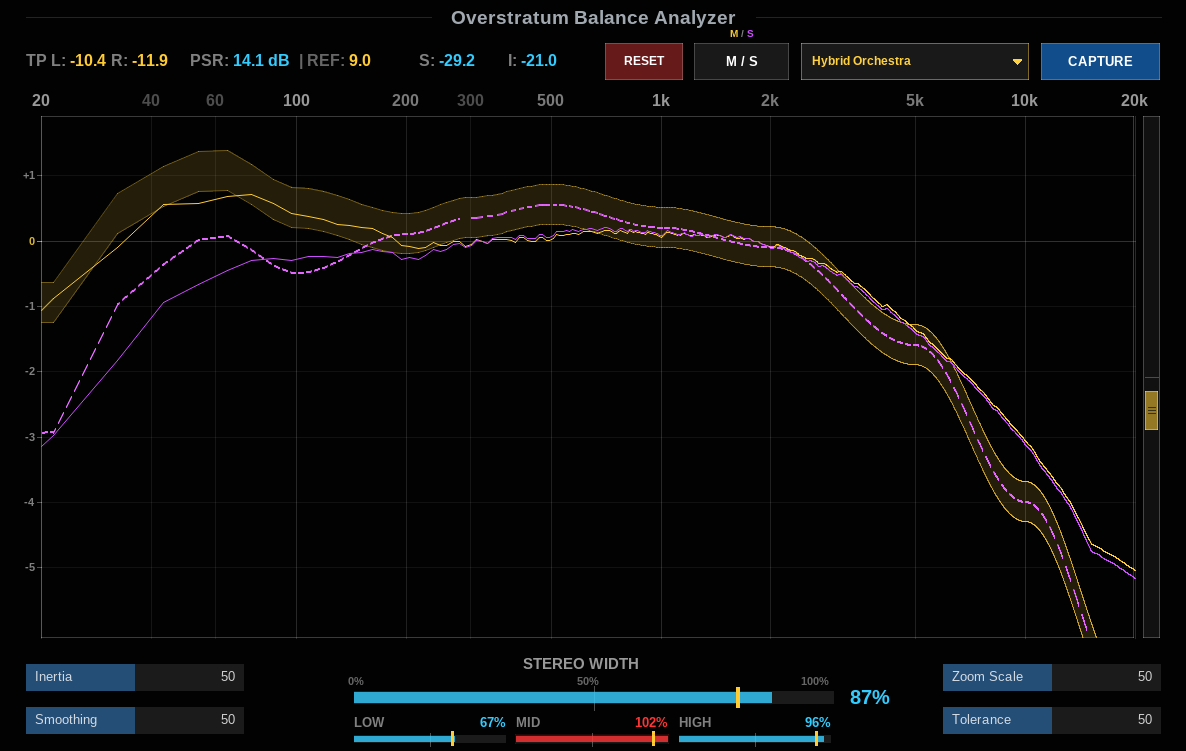
Achieving translation across diverse monitoring environments requires reliable visual reference points alongside trained ears. The Overstratum Balance Analyzer for Cockos REAPER has been updated with an expanded visual canvas, intuitive vertical scrolling navigation, and seven calibrated genre reference curves.
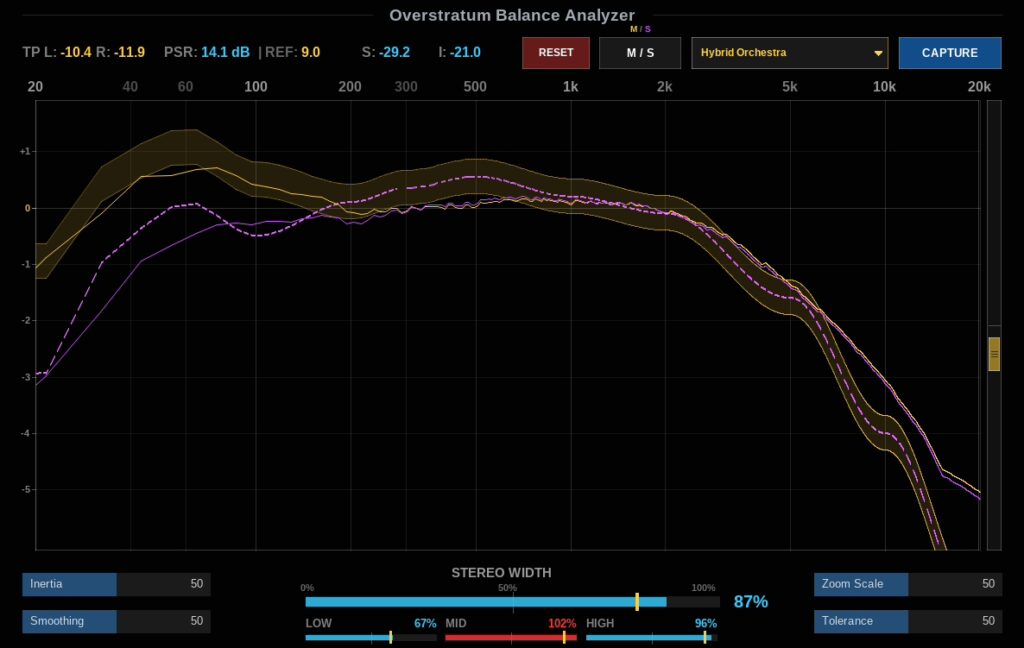
Balance Analyzer
The Overstratum Balance Analyzer is a native, lightweight JSFX analysis utility designed for REAPER 7 and earlier versions across Linux, Windows, and macOS. Acting as both a spectral tonal balance guide and a comprehensive loudness and stereo-imaging meter, it gives mixing and mastering engineers an immediate overview of how their track stacks up against commercial genre standards.
Built directly in EEL2, the plugin runs entirely inside REAPER’s native audio engine with zero third-party framework overhead, zero copy protection, and minimal CPU footprint.
Key Features & What’s New in the Update
- Expanded Spectral Display: The main frequency viewport now occupies a significantly taller footprint, reducing vertical clutter and allowing for precise observation across all 12 primary mastering anchors from 20 Hz to 20 kHz.
- Calibrated Y-Axis Grid: A dedicated, zoom-adaptive dB scale on the left axis provides instant visual feedback for relative frequency boosts and cuts, anchored around a normalized 1 kHz midpoint.
- Unified Vertical Scroll Offset: A dedicated vertical scrollbar on the right border—accompanied by mousewheel support across the plot—allows you to effortlessly reposition the entire graph (target tolerance tube, live frequency traces, and scale lines) in tandem.
- Instant Genre Reference Presets: Quickly switch target curves across seven foundational musical styles:
- Classical Music: Sub-bass attenuated below 40 Hz with natural warm lower mids and smooth treble rolloff.
- Hybrid Orchestra: Heavy sub-bass presence (30–60 Hz), scooped lower mid-boxiness, and expansive brass/string air.
- Hip Hop: Focused low-end punch between 40 and 100 Hz, authoritative vocal midrange, and controlled high frequencies.
- Trap: Dominant 808 sub frequencies, transparent mid pockets, and crisp high-end hat sizzle at 5 to 10 kHz.
- Metal / Rock: Tight sub-filtering below 35 Hz, high-impact kick/bass punch at 60–100 Hz, and aggressive guitar presence around 2–5 kHz.
- Pop: Natural low-mid body and warmth across 200–500 Hz with balanced distribution.
- EDM: Massive sub foundation, ultra-clean low mids, and wide, shimmering top-end synthesis.
- Custom Reference Capture: Retain the ability to capture any commercial track in real time to generate your own bespoke reference profile, preserved automatically across session reloads.
- Full Monitoring Suite: True Peak (L/R) inter-sample detection, Short-Term (S) and Integrated (I) ITU-R BS.1770 LUFS metering, dynamic PSR (Peak-to-Short-Term Ratio) readouts, and 3-band Stereo Width correlation (Low, Mid, High).
- Mid/Side & L/R Inspection: Switch visualization between unified Stereo, split Left/Right, or dedicated Mid/Side curves to pinpoint phase-cancellation issues or excessive side-channel bass energy.
Mastering Workflow: Using the Target Tube
The amber tolerance tube represents the target envelope where commercial tracks in your chosen genre comfortably sit. Rather than forcing you into a rigid static line, the analyzer allows your live signal (rendered in white or Mid/Side colors) to flex dynamically within the defined tolerance boundary.
If your mix pokes out above the tube at 200 Hz, you know the mix is building up excessive mud. If your sub-bass at 40 Hz is dipping below the target band, your bottom end may fail to hit with expected authority on larger club or theater sound systems. Adjust the Tolerance Width slider to tighten or broaden your goal margin depending on the mix stage.
Installation Guide (REAPER JSFX)
Installing native JSFX plugins in REAPER takes only seconds:
- Open REAPER and navigate to Options > Show REAPER resource path in explorer/finder.
- Open the
Effectsfolder (or create anOverstratumsubfolder within it). - Copy
OverstratumBalanceAnalyzer.jsfxinto this directory. - In REAPER’s FX browser, press F5 to rescan, insert the plugin on your master bus or monitoring FX chain, and select your target genre.